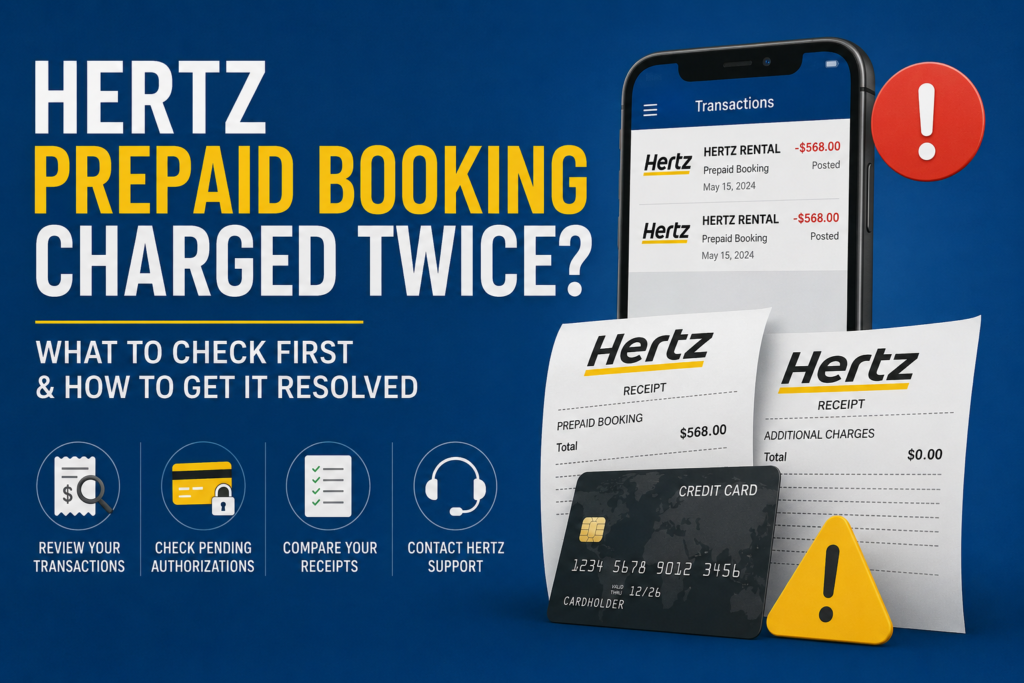
If your Hertz prepaid booking charged twice concern started after you noticed two transactions on your bank or credit card statement, do not assume immediately that Hertz billed the same rental twice. One transaction may be your original prepaid payment, while the other could be a temporary authorization hold, an additional rental charge, or a payment connected with changes made during the rental.
The best first step is to check whether both transactions are fully posted. Then compare your prepaid confirmation, rental agreement, final receipt, and card statement. If two completed charges remain unexplained, use the latest official Hertz customer service options and request a billing review.
Why Can Hertz Charge Your Card Again After You Prepaid?
A prepaid reservation normally means that you paid certain rental charges in advance when making the booking. However, that does not always mean there will be no other payment activity on your card.
According to the official Hertz payment and authorization policy, an authorization hold may be placed on the payment card used for a rental. This hold can temporarily reduce your available balance or credit even though it is not necessarily a second completed payment.
Additional amounts may also appear when something about the original rental changes. For example, the final rental cost may differ if optional products are added, the rental period is extended, the return location changes, or other charges apply under the rental agreement.
That is why seeing two Hertz transactions is not enough by itself to confirm double billing.
Check Whether the Second Transaction Is Pending or Posted
Before contacting support, open your bank or credit card account and check the status of both transactions.
If One Charge Is Pending
A pending transaction may only be an authorization.
Banks often display authorization holds in a way that looks very similar to a normal purchase. It may reduce the amount of money or credit available to you while it remains pending.
If you are unsure, your card issuer can usually tell you whether the transaction is pending, posted, reversed, or otherwise still being processed.
If Both Charges Are Posted
If both payments are fully completed, look more closely at the amounts.
Two posted transactions require investigation, but they still may not represent the same charge.
One could be the prepaid rental amount, while the second could reflect additional rental costs.
If One Charge Disappears or Reverses
A temporary authorization may later disappear from your account or show as reversed.
How this appears depends on your bank or card issuer, so do not assume that every temporary transaction will appear in the same way.
Compare the Two Amounts
The amount of each transaction can help you identify what happened.
Two Identical Amounts
If both completed transactions are exactly the same amount, there may be a stronger reason to ask Hertz to review the billing.
Before doing that, confirm:
- Both transactions have fully posted.
- Neither one is still pending.
- Neither transaction has already been reversed.
- Both appear to relate to the same reservation.
- Your final receipt does not explain the second payment.
If all of those points apply, gather your documents before contacting official support.
Two Different Amounts
If the amounts are different, the second transaction may relate to something added or changed during the rental.
Depending on your individual rental agreement, possible items could include:
- Additional rental time
- Optional products
- Vehicle upgrades
- Fuel-related charges
- Toll-related costs
- Additional drivers
- Equipment
- Changes to the return location
- Other items listed on the rental agreement
If your rental period changed, our guide on how to extend a Hertz rental may also help you understand why the final amount can differ from the original booking.
Do not assume that any specific charge applies to your rental. Always check your agreement and final receipt.
Review Your Original Prepaid Confirmation
Your reservation confirmation is one of the most important documents when investigating a possible duplicate payment.
Check the original confirmation for:
- Reservation number
- Amount prepaid
- Pickup location
- Return location
- Rental dates
- Vehicle class
- Included products
- Payment method
- Rate conditions
Hertz’s official Pay Now terms are also worth reviewing because prepaid booking rules can differ from pay-later reservations.
If you changed the reservation later, keep both the original confirmation and the updated version.
The difference between those two documents may explain why another payment appeared.
Compare the Rental Agreement
Next, review the agreement you received or accepted when collecting the vehicle.
Compare it with the prepaid booking.
Look closely for any differences involving:
- Pickup and return times
- Vehicle category
- Optional protection products
- Additional drivers
- Fuel options
- Equipment
- Rental length
- Return location
If you accepted something additional at the counter, the cost may not have been included in the original prepaid amount.
If you are still at the rental location when the second charge appears, ask the representative to show you exactly where the amount is reflected in the agreement.
Keep a copy of the agreement and any updated booking information.
Check Your Final Hertz Receipt
After the vehicle has been returned, the final receipt can help explain the total rental cost.
Compare the final receipt with both your prepaid confirmation and card statement.
Look for:
- Original rental charges
- Additional products
- Adjustments
- Taxes or location-specific charges
- Additional rental time
- Fuel or toll-related items
- Credits or refunds
Hertz provides an official rental receipt lookup for customers who need to review their final rental documents.
If the final receipt shows only one legitimate total while your card shows two unexplained completed transactions, you have a clearer billing issue to present to customer support.
What If the Second Charge Appeared at Pickup?
If you notice another payment or authorization while collecting the car, address it before leaving if possible.
Ask the rental representative what the transaction represents.
You should especially check the agreement if:
- The amount is much higher than expected.
- An upgrade was added.
- Optional products appear unexpectedly.
- The prepaid reservation does not seem to have been applied correctly.
- The rental dates or vehicle category changed.
Keep copies of the documents you receive. A written rental agreement is more useful later than relying only on a verbal explanation.
What If the Charge Appeared After Returning the Vehicle?
If the second transaction appeared after the rental ended, start with the final receipt.
Compare every item on the receipt with your agreement.
A post-rental charge may relate to something that was finalized after the vehicle was returned, but the reason should be supported by your rental records.
If the second payment is later reversed or Hertz confirms that money should be returned, you can also read our guide on how to check Hertz refund status.
Do not assume a refund is guaranteed or that every bank will process a credit within the same period.
Did You Change Your Prepaid Reservation?
Changes to a prepaid booking can affect the final amount.
Think about whether you changed:
- Pickup date
- Return date
- Pickup time
- Return time
- Vehicle type
- Pickup location
- Drop-off location
- Another part of the booking
If the reservation was modified, compare the original price with the updated confirmation.
The official Hertz Pay Now terms should be checked for the latest rules that apply to prepaid reservations.
Do not assume that the first prepaid amount remained the final rental cost after changes were made.
What If You Booked Through a Third-Party Website?
This is another common source of confusion.
If you prepaid through a travel website, credit card travel portal, or other booking service, determine who actually collected the original payment.
Look at the merchant name shown on your card statement.
Your first transaction may have gone to the booking company, while another transaction may have been processed directly by Hertz.
That does not automatically mean you were charged twice for the same thing.
Keep:
- Third-party booking confirmation
- Hertz rental agreement
- Final receipt
- Both payment records
Contact the company responsible for the specific transaction you are questioning.
Which Support Option Should You Use?
The most suitable support channel depends on the problem.
| Issue | Best Starting Point |
|---|---|
| Charge appears during pickup | Rental counter |
| Question about an item added at pickup | Rental location |
| Need a final billing breakdown | Hertz receipt |
| Two unexplained completed charges | Official Hertz billing/customer support |
| Need written documentation | Official online contact option |
| Unsure if transaction is pending | Bank or card issuer |
| Third-party prepaid booking | Booking provider and Hertz records |
For current contact methods, use Hertz’s official website or app. Phone numbers, chat availability, support forms, and operating hours can change.
This independent website cannot access, change, cancel, refund, or manage your Hertz reservation.
What to Prepare Before Contacting Hertz
Having your information organized can make the issue easier to review.
Prepare:
- Reservation number
- Rental agreement number
- Full name on the booking
- Pickup and return locations
- Rental dates
- Vehicle information, if relevant
- Original prepaid confirmation
- Payment method
- Amount of each transaction
- Transaction dates
- Final receipt
- Screenshots with sensitive information hidden
- Details of reservation changes
- Previous support reference numbers
Never share your full card number, security code, password, or other sensitive financial information through unofficial channels.
Create a Simple Billing Timeline
A short timeline can make your complaint clearer.
For example:
Booking: Prepaid reservation completed.
Pickup: Another Hertz transaction appeared.
Rental: Any changes or extras were added.
Return: Vehicle returned.
Final receipt: Charges reviewed.
Current status: Both transactions posted, or one remains pending.
This is much easier for a support representative to understand than a long, unstructured explanation.
When Should You Contact Your Bank?
Your bank or card issuer can help confirm whether the second Hertz transaction is actually completed.
Ask them whether it is:
- Pending
- Posted
- Reversed
- Refunded
If two unexplained charges have fully posted and you cannot resolve the issue through the appropriate merchant support process, you can ask your card issuer about its dispute process.
However, do not assume that a chargeback is automatically appropriate or guaranteed to succeed. Rules and deadlines vary by card issuer.
Common Mistakes to Avoid
Do not treat every pending authorization as a confirmed duplicate charge.
Do not look only at your bank statement. Your booking confirmation, rental agreement, and final receipt are equally important.
Do not assume that a prepaid booking covers every possible charge connected with the rental.
Do not ignore reservation changes.
And do not file a payment dispute before first understanding what the second transaction represents.
Final Takeaway
If you see a Hertz prepaid booking charged twice, start by confirming whether both transactions are actually completed payments.
A second Hertz transaction can sometimes be an authorization hold or another amount related to the rental rather than a duplicate of the prepaid charge. You can review the latest Hertz payment policy for official information about payment cards and authorizations.
Then compare your original reservation confirmation, rental agreement, final receipt, and card statement. If two completed transactions still cannot be explained, gather your documents and contact Hertz through its current official US support channels for a billing review.
Policies, payment requirements, support methods, and rental terms can vary by location, booking type, payment method, and date. Always verify important information through Hertz’s official website or app.
hertzcustomerservice.co.uk is an independent informational website and is not affiliated with, endorsed by, sponsored by, or operated by Hertz or The Hertz Corporation.
FAQs
Why did Hertz charge me twice if I prepaid?
The second transaction may be an authorization or a separate rental-related amount rather than another payment for the same base rental. Check whether both transactions are fully posted and compare them with your rental documents.
Does Hertz put a hold on prepaid rentals?
Hertz’s US payment information indicates that authorization holds can be used during rentals. The exact amount and circumstances may depend on the booking, location, payment method, and rental agreement.
How do I know if Hertz actually double charged me?
Confirm that both transactions have fully posted. Then compare the amounts with your prepaid confirmation, rental agreement, and final receipt to see whether the second payment is explained.
What should I do if both Hertz charges are posted?
Gather your reservation confirmation, rental agreement, final receipt, and card statement. If the second completed transaction remains unexplained, contact Hertz through its current official billing or customer-support options.
Can a Hertz authorization look like a charge?
Yes. A pending authorization can temporarily reduce your available balance or credit and may appear similar to a completed payment. Your bank can confirm the transaction status.
What if I prepaid through a travel website?
Check which company collected each payment. Your original payment may have been processed by the booking provider while another transaction came directly from Hertz for rental-related charges.
Should I dispute the charge with my bank?
First determine whether the transaction is fully posted and genuinely unexplained. If the issue remains unresolved, ask your card issuer about its dispute procedures, documentation requirements, and applicable deadlines.