If you are checking your Hertz refund status, the first step is to identify what type of refund you are expecting and why it was issued. A refund may relate to a canceled prepaid reservation, a billing adjustment, a rental charge review, or another eligible transaction.
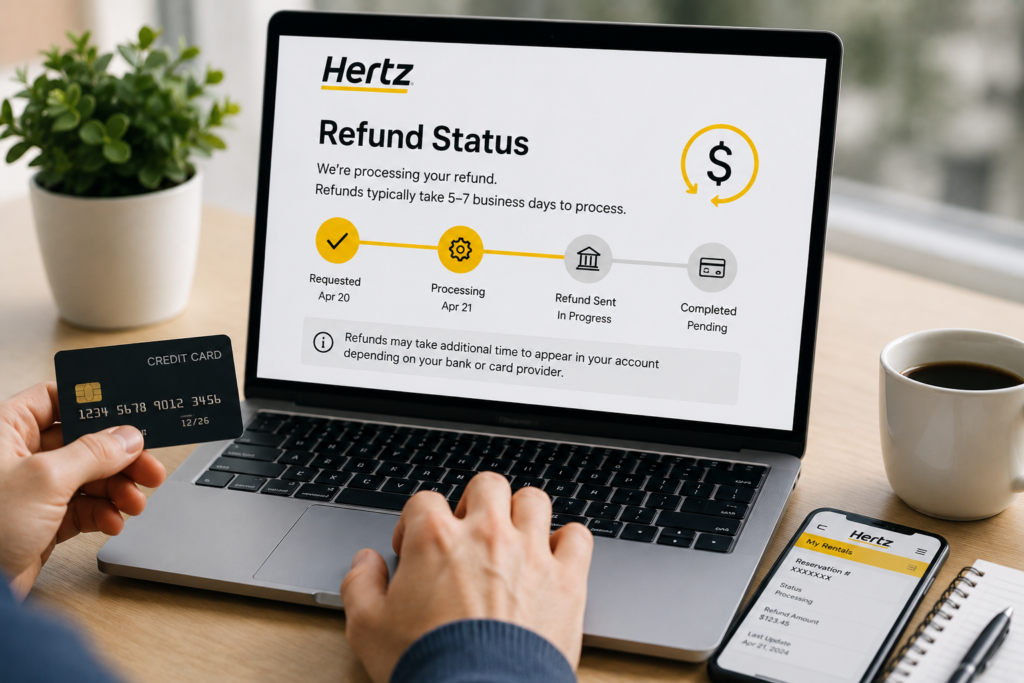
Hertz currently states that refunds after cancellation generally take about 5–7 business days to process. However, this should not be treated as a guaranteed time for the money to appear in your account. Processing and posting times may vary depending on the transaction and your payment provider.
For the latest information about a specific refund, use Hertz’s official website, Support Hub, reservation tools, or other official support options.
How to Check Your Hertz Refund Status
There may not be one universal refund-tracking page that displays the status of every type of Hertz refund.
The best way to check depends on what caused the refund. Start by reviewing the documents connected to your transaction. These may include your reservation confirmation, cancellation confirmation, rental agreement, final receipt, and payment-card statement.
Then check whether the original transaction has been:
- Reversed
- Partially refunded
- Fully refunded
- Adjusted
- Still showing as pending
- Replaced by a different final charge
For questions that cannot be answered through your reservation or receipt, use Hertz’s official Support Hub or current customer-support options rather than relying on contact information published by third-party websites. Hertz currently provides an online Support Hub covering reservations, rentals, billing, fees, and other common issues.
How Long Does a Hertz Refund Take?
Hertz’s current support guidance says that refunds generally take around 5–7 business days to process after cancellation.
That does not necessarily mean every customer will see the money in their account on the same day. There are two parts to consider:
Hertz processing: Hertz must first process the eligible refund.
Payment-provider posting: After that, the card issuer or financial institution may need additional time to display the transaction.
Because these stages are separate, a refund can sometimes be processed by the merchant before it becomes visible on a customer’s statement. If your expected refund is outside the normal processing period, gather your transaction details before asking Hertz or your payment provider to investigate.
Hertz Refund Status After Canceling a Reservation
If you canceled a Hertz reservation, first confirm that the cancellation was successfully completed. Hertz provides an official reservation lookup system where eligible reservations can be viewed, modified, or canceled using reservation information.
Keep the cancellation confirmation or screenshot if one was provided.
This is particularly useful if you later need to demonstrate:
- When the booking was canceled
- Which reservation was involved
- Whether the reservation was prepaid
- Which payment method was used
- What amount you expected to be returned
Do not assume that canceling a reservation automatically means the entire original payment will be refunded.
The terms can depend on the reservation type and applicable cancellation conditions.
Prepaid Hertz Reservations and Refunds
Prepaid reservations deserve extra attention because their cancellation rules may differ from reservations where payment is completed later.
Hertz’s current U.S. support information explains that cancellation or no-show charges can apply to some prepaid reservations. The amount returned can therefore depend on the conditions attached to the booking.
Before assuming a refund is missing, review:
- Your original reservation terms
- The cancellation date and time
- Whether the reservation was prepaid
- Any cancellation conditions
- The cancellation confirmation
- The amount originally charged
- The amount expected back
This can help you distinguish between a delayed refund and a refund that was reduced because of applicable booking conditions.
Refunds After a Completed Hertz Rental
A refund after a completed rental can be different from a canceled-reservation refund.
You may be expecting money back because of:
- A billing adjustment
- A disputed rental charge
- A corrected fee
- An overpayment
- A reviewed service issue
- A difference between estimated and final charges
Start with your final rental receipt.
Hertz currently provides an online receipt-search option. Hertz notes that receipts may take up to seven days after a vehicle is returned to become available online.
Compare your final receipt with the amount shown on your payment account before deciding that a refund or adjustment is missing.
Pending Charge vs. Hertz Refund
One common source of confusion is the difference between a pending authorization and an actual completed charge or refund.
Rental companies may place an authorization on a payment card as part of the rental transaction. Hertz’s current payment guidance explains that authorization amounts can be placed in addition to estimated rental charges under certain conditions.
A pending authorization is not necessarily the same thing as money that was charged and later refunded.
Look carefully at your account and determine whether the transaction is labeled as:
Pending: The transaction has not fully posted.
Completed: The transaction has been finalized.
Reversed: A previous authorization or transaction has been removed.
Refunded: Money has been credited back after a completed transaction.
Your card provider may be able to explain how these transaction types are displayed in your account.
What Information Should You Prepare?
If you need help checking a Hertz refund status, preparing your documents first can make the issue easier to explain.
Useful information can include:
- Reservation confirmation
- Rental agreement information
- Cancellation confirmation
- Final rental receipt
- Rental dates
- Pickup and return locations
- Date of the original payment
- Amount originally charged
- Expected refund amount
- Date the refund was requested or approved
- Relevant screenshots or documents
You generally should not send unnecessary sensitive financial information through unsecured communication channels.
Instead, provide only the information needed to identify the transaction.
What to Do If Your Hertz Refund Has Not Arrived
If the expected processing period has passed, begin with your records. First, make sure the reservation was actually canceled or the refund was actually approved.
Next, check your payment account again. Refunds can sometimes appear as separate credits rather than changes to the original transaction. Then review your Hertz reservation information and final receipt.
If the issue remains unresolved, use Hertz’s official customer-support resources and clearly explain:
- Which reservation or rental is involved
- Why you are expecting a refund
- When the cancellation or adjustment occurred
- What amount you expected
- What your payment account currently shows
A precise explanation is more useful than simply writing, “Where is my refund?”
Should You Contact Your Bank or Card Provider?
There are situations where your financial institution may also be useful.
For example, if Hertz indicates that a refund has already been processed but the credit is still not visible, your card provider may be able to explain whether a refund is pending or how long credits normally take to post to your specific account.
Your payment provider cannot determine Hertz’s refund eligibility, however.
Think of the responsibilities separately:
Hertz: Determines and processes an eligible refund.
Bank or card provider: Handles the transaction after it enters the payment network and displays it on your account.
If you contact either party, have the relevant transaction date and amount available.
How to Avoid Refund Status Confusion
Keeping good records can prevent many problems later. Whenever you cancel or modify a rental, save the confirmation.
Keep your original booking information until all related charges have been settled. After returning a rental, download or save the final receipt when it becomes available.
It is also helpful to take screenshots of important reservation changes and maintain a simple timeline if a billing issue becomes complicated.
Your timeline could include:
- Reservation date
- Payment date
- Cancellation date
- Rental dates
- Date of any billing inquiry
- Date a refund was confirmed
- Date the credit appeared
This gives you a clear record if you need to explain the situation later.
Common Hertz Refund Status Mistakes
One mistake is assuming every refund must arrive immediately after cancellation. Refund processing takes time, and the exact posting date can vary.
Another mistake is confusing a payment-card authorization with a completed charge. Customers may also overlook cancellation conditions attached to prepaid reservations.
Finally, avoid relying on outdated third-party contact information. Hertz’s support options, procedures, and policies can change.
For current instructions, use Hertz’s official website and Support Hub.
Can You Track a Hertz Refund Online?
You can use Hertz’s official tools to review related information such as reservations and receipts, but the available options depend on the type of transaction.
Hertz’s reservation lookup can help confirm booking details or cancellation information, while its receipt service can help you review charges from a completed rental.
For a specific refund that is not clearly explained by those records, use the official Hertz support options shown on its current website.
Final Takeaway
Checking your Hertz refund status starts with understanding why you are expecting money back.
If you canceled a prepaid reservation, review the cancellation confirmation and booking conditions. If the refund relates to a completed rental, compare your final receipt with your payment statement.
Hertz’s current support information states that refunds generally take about 5–7 business days to process after cancellation, although your payment provider may affect when the credit becomes visible.
If the expected period has passed, gather your reservation details, cancellation confirmation, receipt, transaction information, and other relevant records before contacting Hertz through its official support channels.
Avoid using unverified phone numbers, email addresses, or support details found on third-party websites.
hertzcustomerservice.co.uk is an independent informational website and is not affiliated with, endorsed by, sponsored by, or operated by Hertz or The Hertz Corporation.
FAQs
How do I check my Hertz refund status?
Start by reviewing your cancellation confirmation, reservation information, final receipt, and payment account. If the refund cannot be confirmed from those records, use Hertz’s official Support Hub or current support options.
How long does a Hertz refund take?
Hertz currently states that refunds generally take around 5–7 business days to process after cancellation. The time for the credit to appear can also depend on the payment provider.
Why is my Hertz refund not showing?
The refund may still be processing, the payment provider may not have posted the credit yet, or the transaction may involve a pending authorization rather than a completed charge. Review your documents and account activity carefully.
Can a prepaid Hertz reservation be refunded?
Refund eligibility depends on the reservation terms and the circumstances of the cancellation. Some prepaid reservations can also be subject to cancellation or no-show conditions.
Where can I find my Hertz rental receipt?
Hertz provides an official online receipt-search tool. Hertz says receipts may take up to seven days after return to become available online.
Should I contact my bank about a missing Hertz refund?
If Hertz has already processed the refund but it is not visible in your account, your bank or card provider may be able to explain the posting status. They cannot determine whether Hertz should approve a refund.
What should I keep while waiting for a refund?
Keep your reservation confirmation, cancellation confirmation, rental agreement, final receipt, payment record, and any written confirmation related to the refund until the issue is fully resolved.